
01
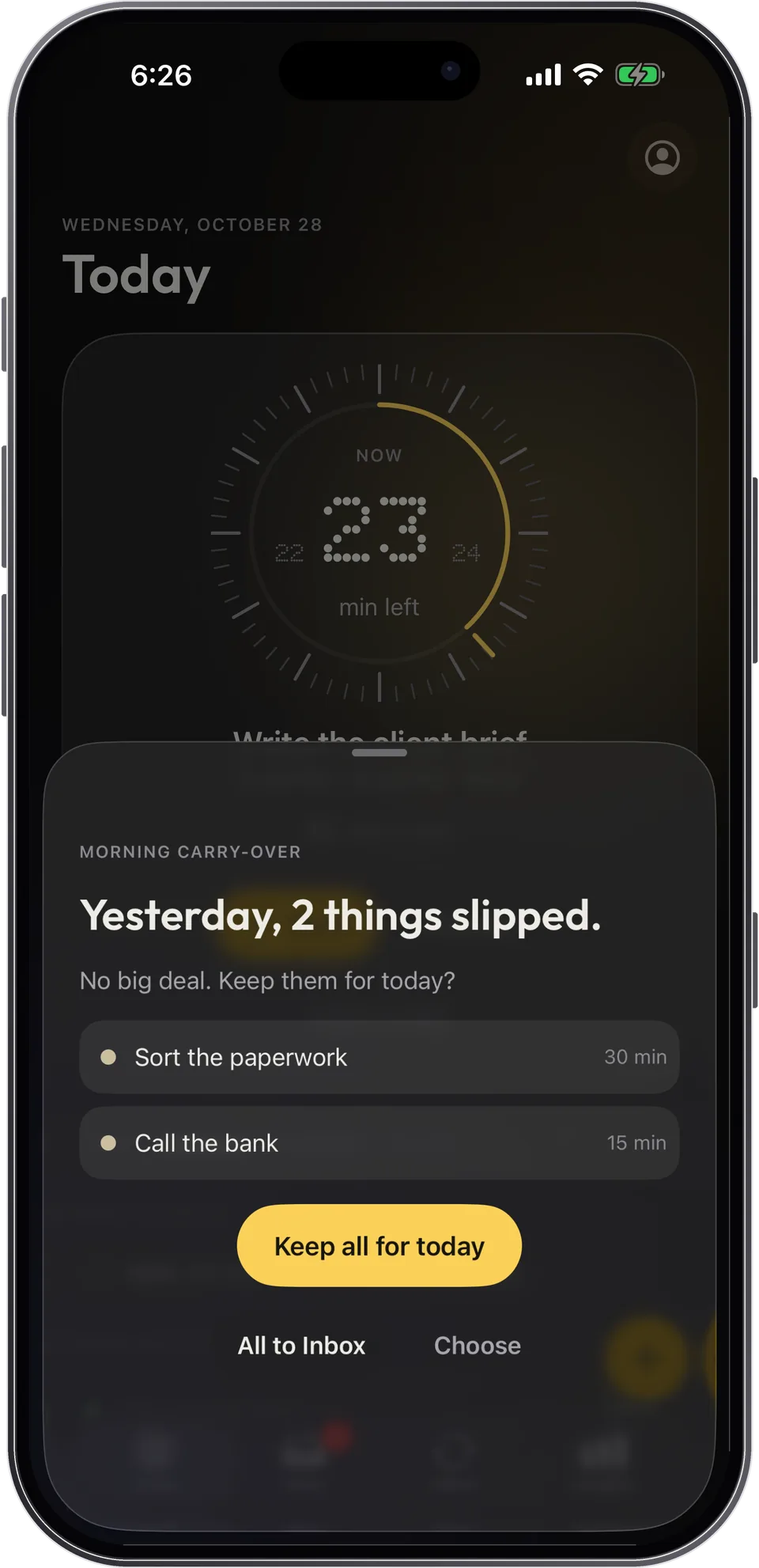
Didn't finish? It moves to tomorrow
In the morning, what slipped yesterday is offered back, with no “overdue” anywhere. One decision: keep it all, send it to the Inbox, or choose.
The visual day planner for every mind
Capday turns your day into blocks and shows the time you have left on a dial. You always know what to do now and what comes next. No account, no ads, no guilt.
Free · iPhone, iPad and Apple Watch · iOS 26 or later
Built for peace of mind
Why Capday
We all have days when “in twenty minutes” stops meaning anything: you start late, underestimate, and don't see the next thing coming. With ADHD it's often every day, and many people call it time blindness.
The simplest fix is also the oldest one: make time visible, in front of you, at the moment you act. That's the whole idea behind Capday.
Understand time blindnessNow
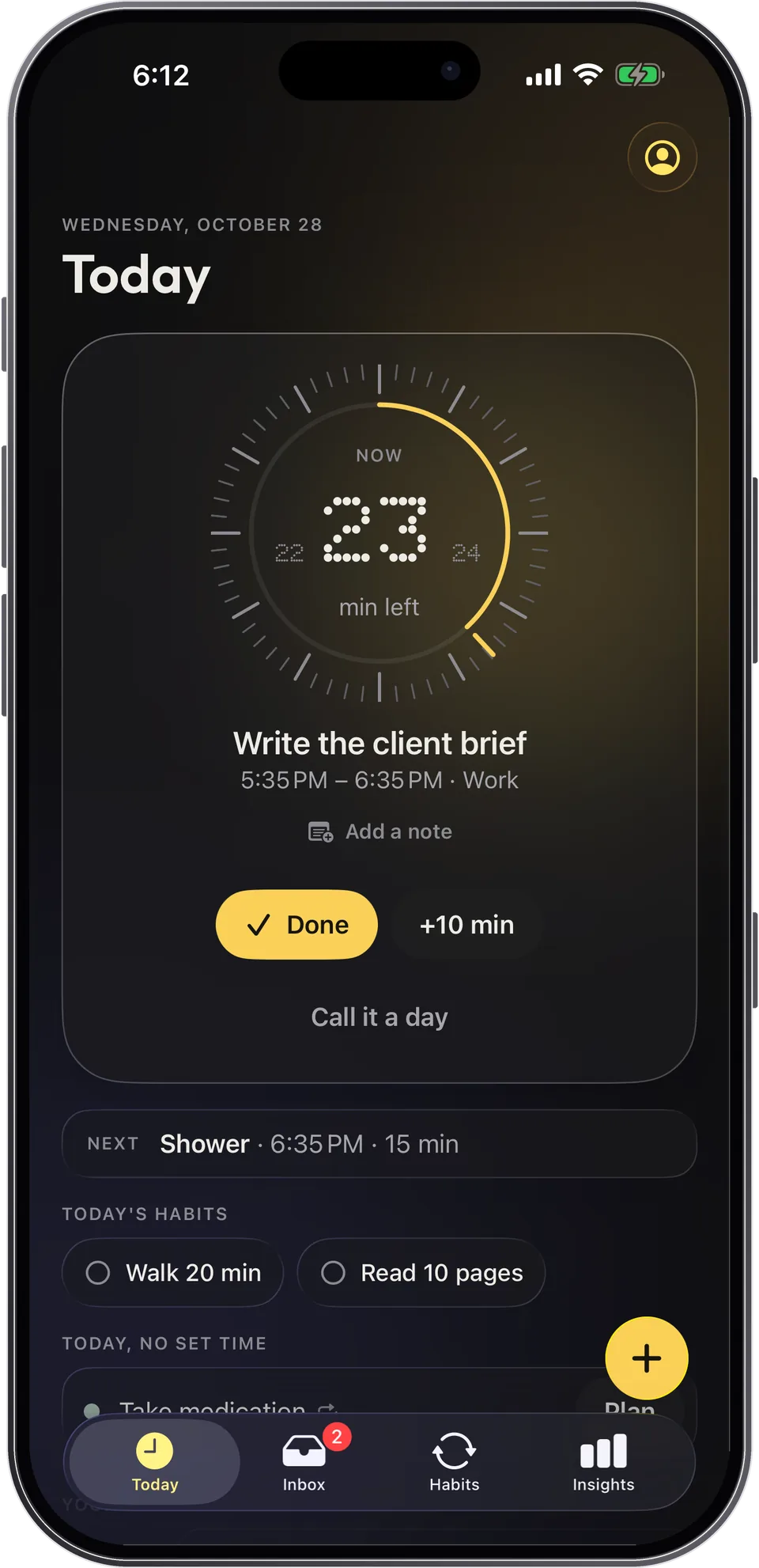
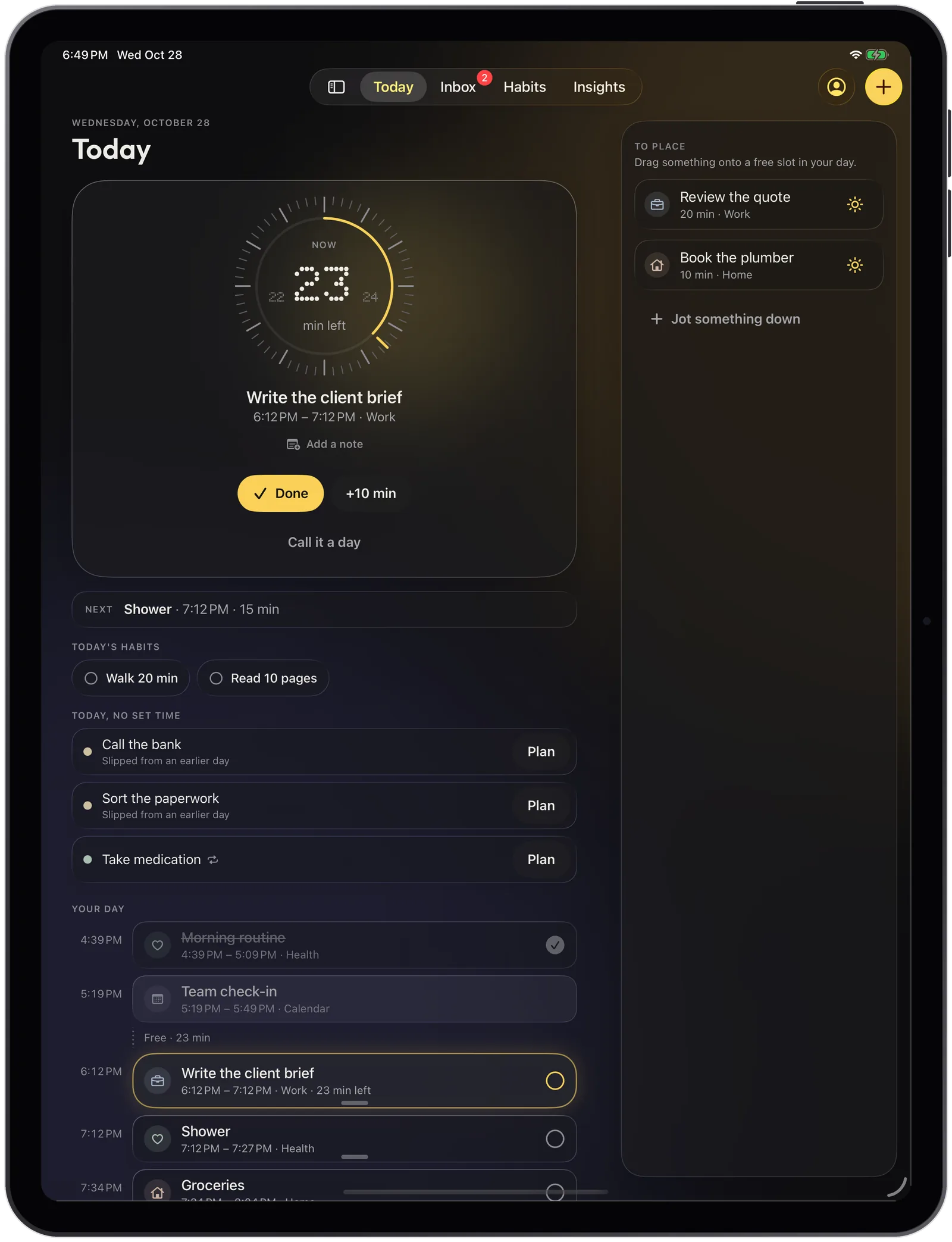
The current block fills the screen on a dial that empties as time passes, like a visual timer. “Next” is always in view.
In one tap, when a block runs over.
Drag a block's edge to change its length.
Every change can be undone.
You always know what comes after.
No guilt
What slips gets placed again, habits count without streaks, and your week reads back without judgment.
01
In the morning, what slipped yesterday is offered back, with no “overdue” anywhere. One decision: keep it all, send it to the Inbox, or choose.
02
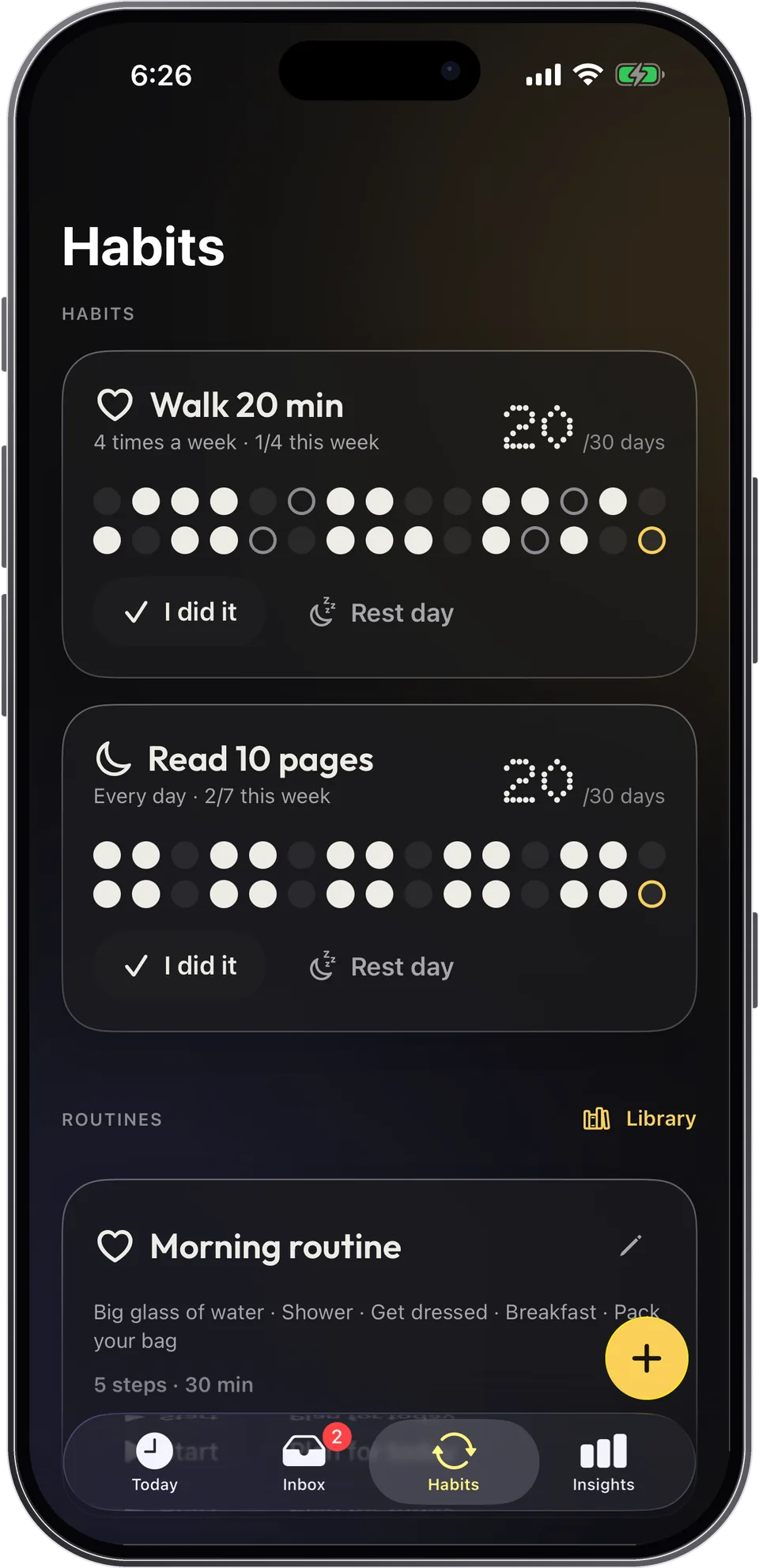
Your consistency over 30 days, as dots. A rest day counts as a win, and no counter resets to zero the day you miss.
03
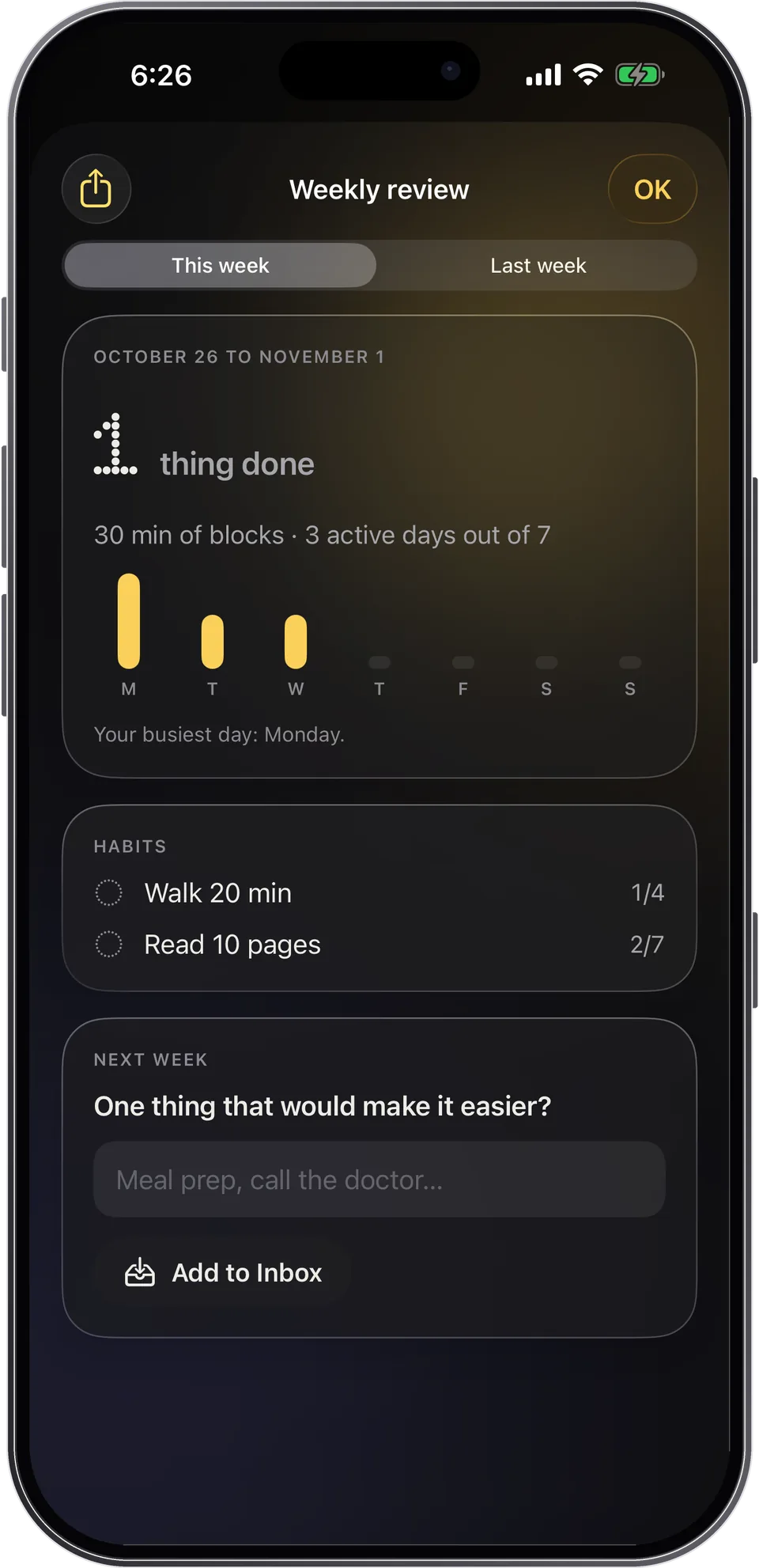
The weekly review shows what you did, your habits, and one thing that would make next week easier. Nothing about what didn't get done.
Guided routines
Guided routines break your morning, your evening or the task you keep avoiding into small steps, each with its own timer. Anchor them to a moment that already exists: “after coffee”.
Gentle morning, leaving the house, Sunday paperwork, back to calm…
Anchor a routine to a moment that already exists: “after coffee”.
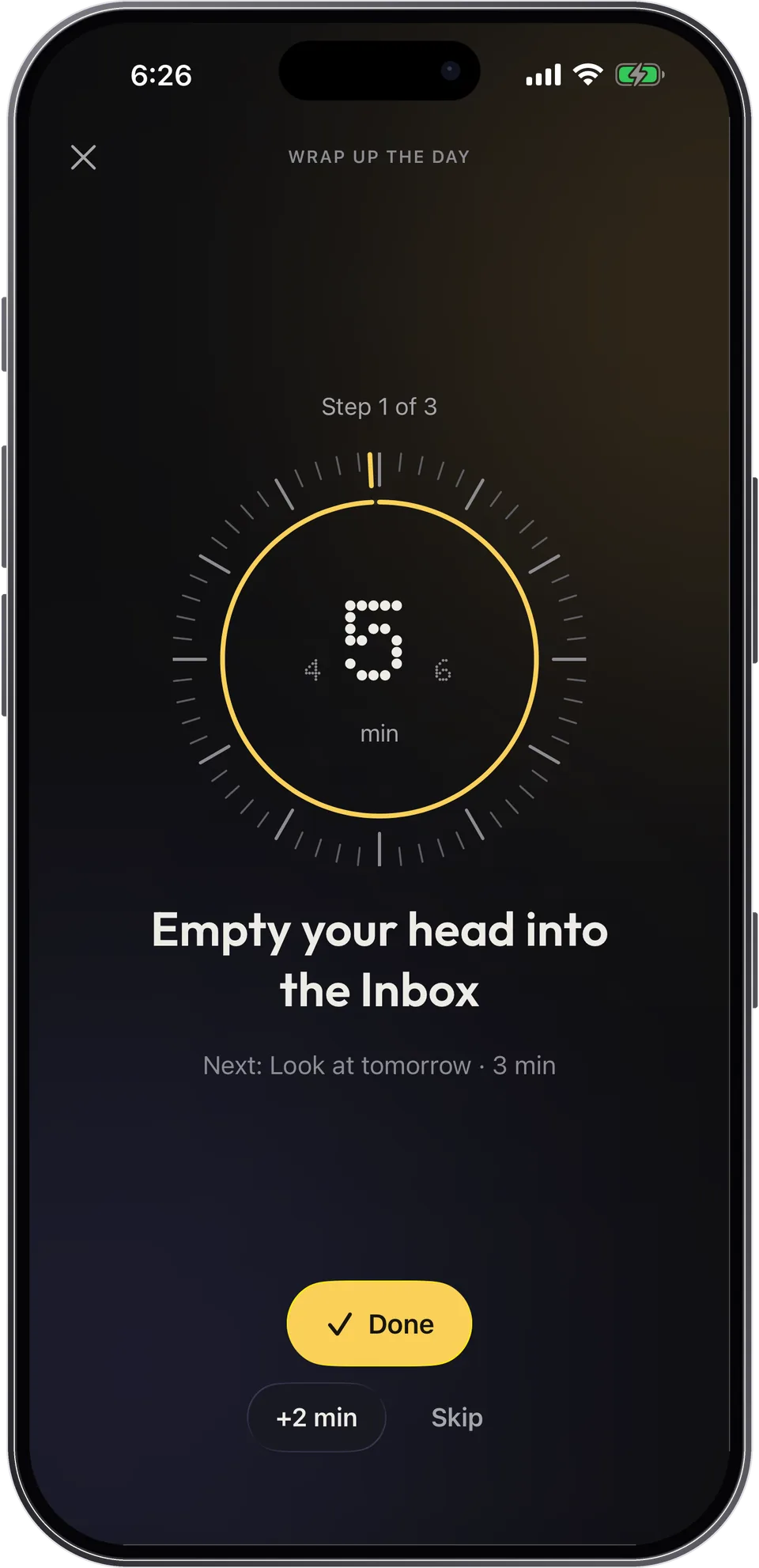
A step runs over? Add 2 minutes or skip it, no failure.
Send a routine to someone with a simple link.
Apple Watch
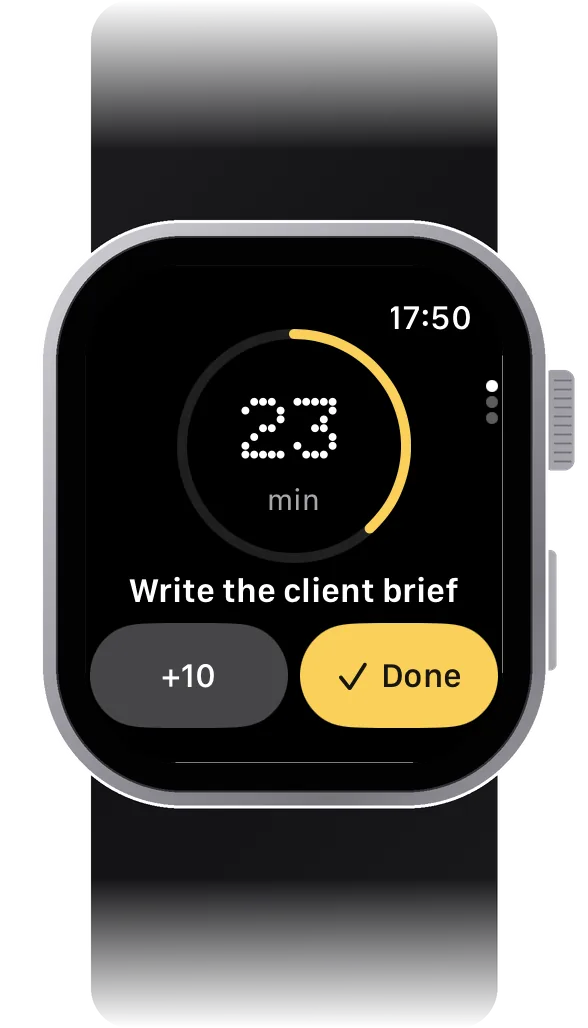
The current block and time left on Apple Watch, a gentle tap before a block ends, and your routines step by step.
And also
On iPad and foldable iPhone. Your day on one side, what's left to place on the other. Drag a task onto a free slot.
“What should I do now in Capday?” The current block on your Lock Screen as a Live Activity.
Capture what's on your mind in two seconds, schedule it later.
A phone number, an address, where you left off: a note on any task.
Trash on Tuesdays, rent on the 5th. They come back on their own, without piling up.
Before a block ends and when the next one starts. Adjustable down to zero.
Paper, Night and Calm themes, large text, Reduce Motion respected.
Our principles
No “overdue”, no red, no lost streak. What slips simply gets placed again.
One thing to do now, one decision at a time. Everything else can wait.
A single glow on the present. Gentle taps. Sounds off by default.
No account, no server of ours. Everything stays on your device, iCloud if you want it.
Capday collects no data: no account, no ads, no analytics, no third-party SDKs. Everything is stored on your device, with a daily backup and one-tap restore. iCloud sync is optional and private. You can export everything as JSON, CSV or ICS.
Read the privacy policyPricing
$0 forever
$29.99 / year
Or $4.99 a month, or $79.99 once, for life. Reminder 2 days before your trial ends.
Guides
How to plan your day: why plans fall apart, how to estimate time with buffers, pick a few priorities and plan the night before, backed by research.
Read the guide Guide 02How to stop procrastinating: why procrastination isn't laziness, and what research says helps, from tiny first steps to if-then plans and self-forgiveness.
Read the guide Guide 03What is time blindness in ADHD? What research says about time perception, how it shows up day to day, and practical ways to make time visible again.
Read the guide Guide 04How long does it take to form a habit? Research says a median of 66 days, not 21. Why missing a day is fine and how to build habits without streaks.
Read the guide Guide 05How to build a morning routine that sticks: anchor each step to a cue, how long habits really take, 15- and 30-minute examples and a plan for bad mornings.
Read the guide Guide 06How to time block your day without a rigid schedule: block sizes, buffers, handling overruns, and how it compares to to-do lists and Pomodoro.
Read the guideFAQ
Yes. Your day, the dial, the Inbox, habits, repeating tasks, Apple Watch, widgets, iCloud and export are free with no time limit. Capday Pro adds unlimited routines, the full routine library, the weekly review and 30- and 90-day insights.
No. Capday works without an account, without an email address and offline. Your data stays on your device; iCloud sync is optional.
No. Capday is for anyone who wants to see their day and stop chasing time: students, parents, employees, freelancers. It was designed with ADHD and autistic people, because what helps them (seeing time, announced transitions, no guilt) helps everyone. It's a planning tool, not a medical device.
No. Capday is available on iPhone, iPad and Apple Watch (iOS 26 or later).
A calendar tells you when something starts. Capday also shows how much time is left, what comes next, and calmly moves what you didn't finish. Your Calendar events appear in your day, read-only.
The yearly subscription starts with 7 free days. Capday reminds you 2 days before it ends. Cancel in two taps from Capday › Settings or your iPhone settings.
Yes. A backup is made every day on your device, and you can go back to one in a single tap from “Data health”. Anything you delete stays in the trash for 30 days.
Yes. The watch shows the current block and time left, taps gently before a block ends and when the next starts, and guides your routines step by step.
Another question? Help covers the rest. Go to help